
Join Codes
In prior sessions we allowed team members to join teams simply by logging in to TeamLinkt and selecting their team from a list. Although it was easy, it has been exploited by bots, hackers, and other "bad actors" and we can no longer continue that strategy. We now require the use of a "join code" which is kind of like a "password" to join a team. When the team captain creates the team, they will be provided a "join code" which they should share with anyone they want to join the team. Team members will use this password in place of the "select a team" step we had used in the past.
Important! Team members can only use the "join code" from the website. Team members cannot use the join code within the TeamLinkt app.
Here is the detailed process flow for using join codes to join a team:
1. Team captain receives registration confirmation and sends the code
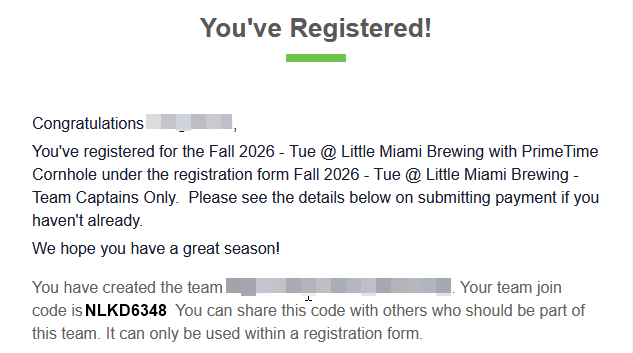
When the team captain creates a team, they will be provided a "join code" in the registration confirmation email that looks like this:
 |
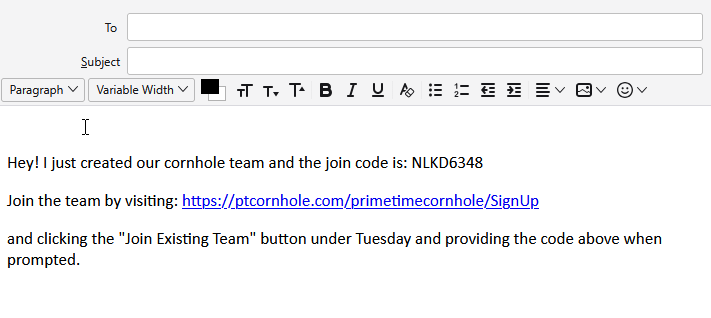
The team captain should send the sign up link (https://ptcornhole.com/primetimecornhole/SignUp), league night (Monday, Tuesday, or Wednesday), and join code to all team members:
 |
2. Team member visits website
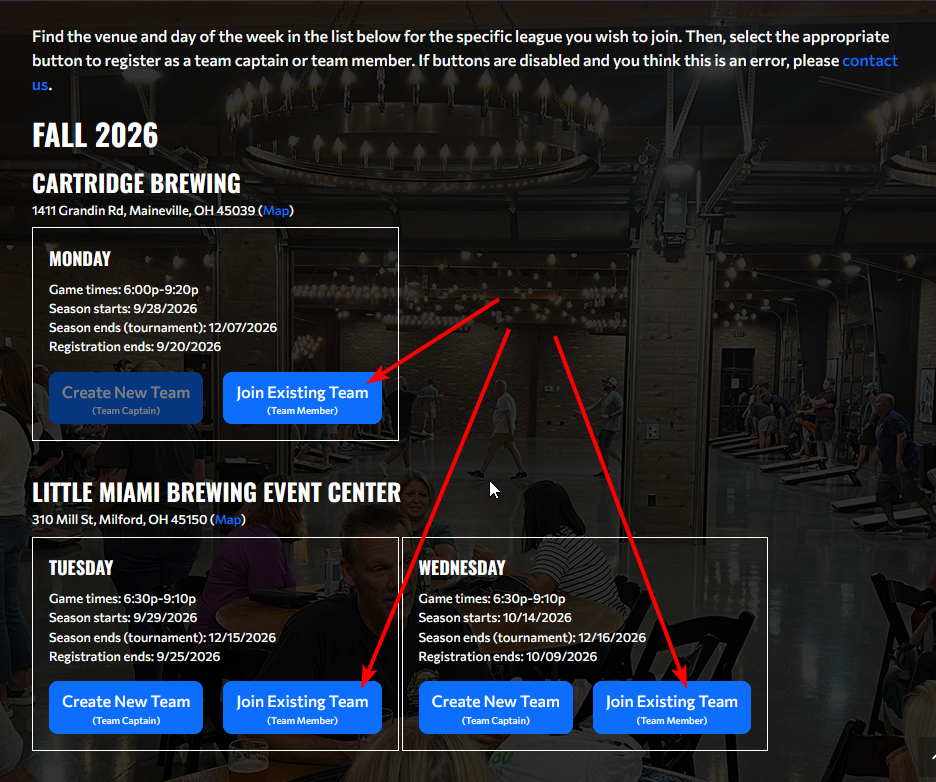
After the team member follows the link, they should click the "Join Existing Team" button under the league night:
 |
3. Team member begins registration
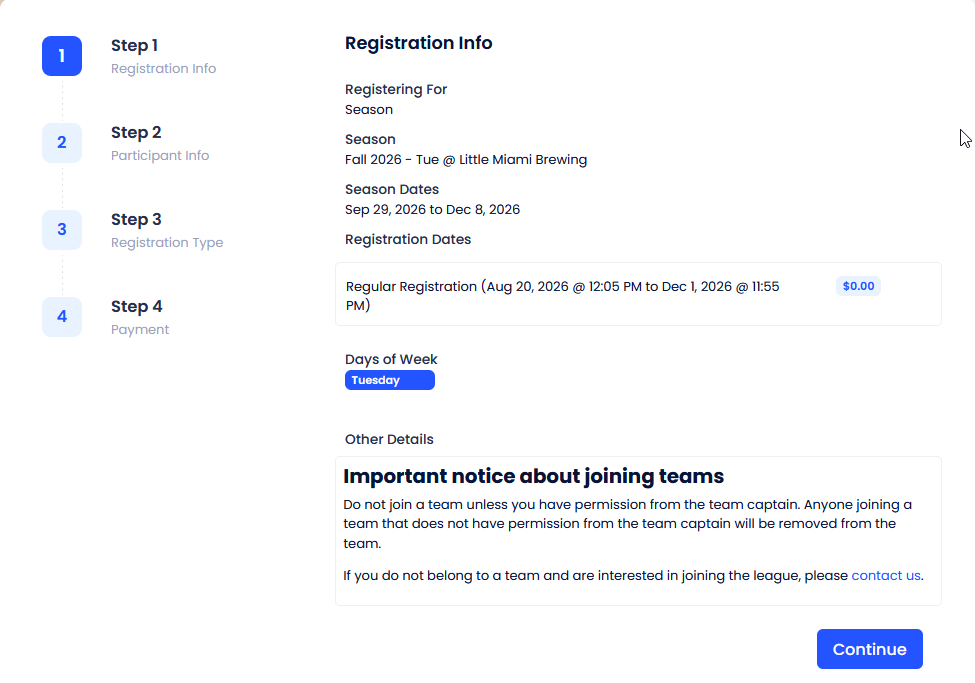
After clicking the button, team members will see the initial registration page:
 |
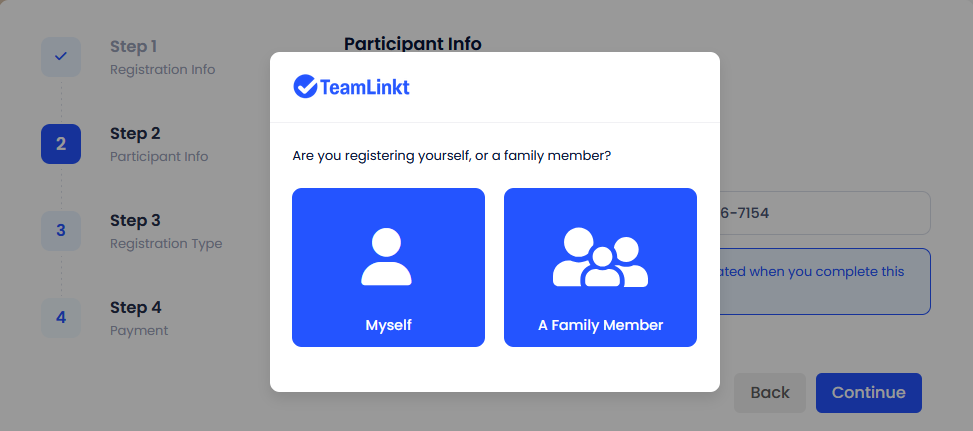
After clicking "Continue", team members will login or create a new TeamLinkt account:
 |
4. Team member enters join code
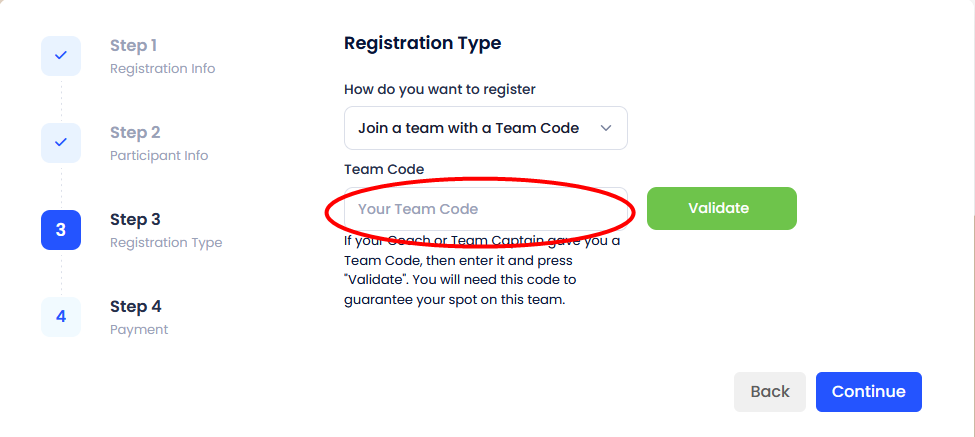
After logging in, team members will be prompted for the "join code":
 |
5. Team member finishes registration
After clicking "Validate" and "Continue", the registration proceeds as it always has where the team member accepts the terms and conditions and then clicks "Register" to complete the registration.